Digital payments almost every day, whether I am ordering food, shopping online, paying bills, booking rides, or sending money through a mobile wallet. That convenience feels effortless, but one careless tap can expose cards, passwords, wallet balances, and personal data. That is why Digital Payment Safety Tips for Everyday Users matter for anyone who wants faster payments without inviting fraud, phishing, or account misuse.
These are now part of normal life across American households. People tap cards at stores, save payment details in apps, scan QR codes, use buy now pay later options, and manage subscriptions from their phones. The problem is that scammers follow the same habits. They create fake payment links, copy checkout pages, send urgent messages, and trick users into sharing OTPs, PINs, or login details.
Why Digital Payment Safety Matters Today
Online payment fraud is not always dramatic. Sometimes it starts with a small unknown charge, a fake delivery text, a suspicious wallet request, or a checkout page that looks almost real. Many users do not notice the warning signs because digital payments feel routine.
Safe payment habits help protect bank accounts, credit cards, mobile wallets, and personal identity. They also reduce stress because users know what to check before sending money. The goal is not to stop using digital payments. The goal is to use them with smarter everyday habits.
Digital Payment Safety Tips for Everyday Users
The best safety rule is simple: slow down before you pay. Scammers depend on speed, fear, excitement, or confusion. Before entering card details, approving a wallet request, or scanning a QR code, take a few seconds to verify the app, website, recipient, and amount.
Use Strong Passwords and Two-Factor Authentication
Weak passwords make payment accounts easier to break into. Avoid using names, birthdays, phone numbers, or the same password across shopping apps, wallets, and banking accounts. A password manager can help create and store stronger passwords without making daily use difficult.
Two-factor authentication adds another layer of protection. Even if someone gets your password, they still need the second verification step. Use an authenticator app or secure device-based approval when available. SMS codes are better than no protection, but authenticator apps usually offer stronger security.
Never Share OTPs, PINs, CVVs, or Wallet Codes

No bank, card company, wallet app, or payment platform should ask for your OTP, PIN, CVV, or full password through calls, texts, emails, or chat messages. Scammers often pretend to be support agents and say your account will be blocked unless you share a code.
Treat every payment code as private. If someone pressures you to reveal it, end the conversation immediately. Also avoid saving screenshots of cards, passwords, or wallet backup codes in your phone gallery because those images can become risky if your device or cloud account is compromised.
Avoid Public Wi-Fi for Payments
Free public Wi-Fi at airports, coffee shops, hotels, and malls can be convenient, but it is not the best place for financial activity. When making a payment, use mobile data or a trusted private network. If you must use public Wi-Fi, avoid entering card details, logging into banking apps, or approving wallet transfers.
Also keep your phone software and payment apps updated. Updates often include security fixes that protect against newer attacks. Ignoring updates for months can leave your device exposed to risks that have already been fixed.
Check Websites, Apps, and QR Codes Before Paying
Fake websites and copied payment pages can look convincing. Before paying online, check the website spelling, security lock icon, brand name, return policy, and contact details. Avoid checkout links sent from random messages, especially when they create urgency with phrases like “final warning,” “payment failed,” or “claim now.”
QR code payment safety also matters. Scammers can place fake QR stickers over real ones or send codes that redirect users to fraudulent pages. Before scanning, confirm the merchant name, payment amount, and recipient details. For person-to-person transfers, double-check the phone number, username, or email before approving.
Turn On Transaction Alerts
Transaction alerts are one of the easiest ways to catch fraud early. Turn on push notifications, email alerts, and text alerts for cards, bank accounts, and wallets. Even small alerts matter because scammers sometimes test a card with a low-value payment before making a bigger charge.
Review statements weekly. Look for unfamiliar subscriptions, duplicate charges, app payments, and international transactions. If something looks wrong, contact the bank or card provider quickly and freeze the card if needed.
Use Credit Cards and Trusted Wallets Wisely
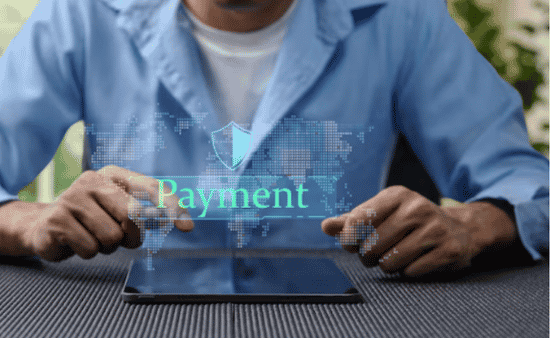
For online shopping, credit cards often provide stronger dispute options than debit cards. Digital wallets can also add a useful layer because they may hide the actual card number from merchants through tokenization. This does not mean every wallet is automatically safe, but trusted wallet apps can reduce exposure when used correctly.
Avoid saving cards on every website. Save payment details only with trusted platforms you use often. For one-time purchases from smaller stores, consider entering details manually or using a wallet checkout option instead.
Watch Out for Common Digital Payment Scams
Payment scams often appear as fake delivery notices, refund messages, subscription renewal warnings, prize claims, job offers, charity requests, or marketplace buyer tricks. A scammer may ask you to “verify” your payment method, pay a small fee, or accept a money request that looks harmless.
Another common trick is an overpayment scam. Someone sends a fake payment screenshot and asks for a refund before the money actually reaches your account. Always confirm payment inside your official app or bank account, not through screenshots.
What to Do If a Payment Looks Suspicious
Act fast if you notice an unknown charge or think you entered details on a fake page. Freeze or lock your card through your banking app, change account passwords, log out from other devices, and contact customer support through the official website or app.
Report the issue to your bank, card issuer, wallet provider, or payment platform. Keep screenshots, transaction IDs, timestamps, and messages. The faster you respond, the better your chance of stopping further damage.
Frequently Asked Questions
1. What are Digital Payment Safety Tips for Everyday Users?
They are simple habits that help protect cards, wallets, banking apps, passwords, and online transactions from scams, phishing, fake links, and unauthorized payments.
2. Is it safe to use digital wallets every day?
Yes, digital wallets can be safe when you use strong passwords, enable two-factor authentication, update the app, avoid public Wi-Fi, and monitor transaction alerts.
3. Should I use a debit card or credit card online?
A credit card is often safer for online purchases because it may offer better dispute protection and does not directly expose money from your checking account.
4. How do I know if a payment link is fake?
Check the sender, website spelling, brand domain, payment amount, and message tone. Avoid links that create panic, demand instant action, or ask for private codes.
Final Thoughts
I like digital payments because they save time, reduce the need to carry cash, and make daily spending easier to manage. Still, convenience should never replace caution. When I slow down, verify details, protect my codes, and monitor alerts, I can pay with more confidence.
Digital Payment Safety Tips for Everyday Users are not complicated rules. They are small habits that protect real money every single day.